

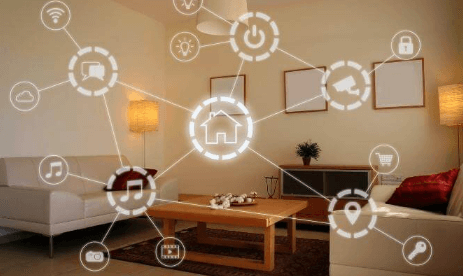
In today’s world, creating a smart home doesn’t have to mean spending a fortune. By using affordable devices, planning carefully and leveraging DIY mindset, you can build a connected, efficient and secure home without breaking the bank. In this article, we’ll walk you through the full process—how to assess your needs, pick cost‑effective devices, choose a platform, set up automations and expand gradually. You’ll learn real‑world tips based on current trends and research (not just hype).
Why a Smart Home Doesn’t Have to Be Expensive
Smart home or home automation technology is increasingly accessible. The smart‑home market has matured: devices are cheaper, ecosystems are more inclusive and DIY friendly.
Moreover:
- The basic control of lights, plugs, and appliances can be done with low‑cost smart plugs or WiFi bulbs.
- Many smart hubs or speakers start at modest prices, especially during sales.
- Linux/open‑source options exist (such as Home Assistant) which reduce recurring costs.
So, if you’re thinking: “smart home = luxury,” think again. With the right approach you can have convenience, energy efficiency and even enhanced security—on a budget.
Step 1: Define Your Goals and Prioritize Needs
Why you should start with goals
Before buying anything, it pays to think about why you want a smart home. Focusing on goals helps avoid impulse buys and ensures you get value. Common motivations include:
- Convenience (remote control of lights, voice commands)
- Energy savings (smart thermostat, plugged‑in devices turned off when idle)
- Security (cameras, door sensors, smart locks)
- Entertainment (voice assistants, streaming integration)
Prioritise what matters most
Create a simple list of what matters most for you. For example:
- “I want to cut my electricity bill” → focus on lighting and thermostat.
- “I travel frequently” → focus on security and remote access.
- “I love voice commands and streaming” → start with smart speaker + media integration.
Doing this helps you allocate budget where it matters and not buy gadgets you’ll seldom use.
Step 2: Choose the Right Platform & Ecosystem
Smart home platforms explained
A smart home platform is the system that ties together all your devices. It could be a voice assistant (e.g., Amazon Alexa, Google Assistant, Apple HomeKit) or an open‑source hub like Home Assistant.
Which one fits a budget setup?
- Amazon Alexa: Often the most affordable entry. Many budget‑devices work with it.
- Google Assistant: Great if you are in the Google ecosystem. Slightly fewer budget devices sometimes.
- Apple HomeKit: Premium experience, but generally higher cost. Valuable if you are all‑in on Apple.
- Open‑source (Home Assistant): Best for tinkerers. You’ll invest time (and maybe a small hub) but costs can stay very low.
Budget friendly platform tips
- Stick with one ecosystem initially to reduce compatibility issues.
- Make sure future devices you buy support your platform.
- Avoid locking into a system with high monthly subscription fees or proprietary add‑ons you don’t need.
Step 3: Start Small — High Impact, Low Cost
You don’t need to automate everything at once. Smart home success on a budget comes from incremental steps and smart choices.
High‑impact affordable devices
Here are some of the most cost‑efficient devices to begin with:
- Smart plugs: Turn any appliance or lamp into a smart device. Save electricity by scheduling off‑times.
- Smart bulbs or switches: Especially for lighting. Affordable, visible benefit, and many work with voice or app control.
- Voice‑assistant smart speaker (hub): Serves as your control centre – voice commands, automations, central control.
- Basic security camera or door sensor: Good for value and peace of mind with relatively modest cost.
Example phased budget
- Month 1‑2: Smart plug(s) + a smart speaker.
- Month 3‑4: Add smart bulbs/switches or basic camera.
- Month 5‑6: Expand to thermostat/climate or door lock when budget allows.
This allows you to spread cost, learn the system, and avoid overload.
Step 4: Install, Automate, and Get Practical Value
Easy setup tips
- Follow manufacturer instructions: connect to WiFi, link to your hub, name rooms/devices.
- Organise the devices: use room names, device names (e.g., “Kitchen Plug – Coffee Maker”).
- Keep software/firmware up‑to‑date for security and reliability.
Useful automations you can start with
- “When I enter my front door, turn on living‑room lights.”
- “If no motion is detected for 30 minutes in room X, turn off the plug.”
- “At sunset, dim bedroom light to 50%.”
These rules create convenience and savings.
Energy & security hacks
- Use smart plugs to cut “phantom” energy usage (appliances drawing when off).
- Use smart bulbs/switches to schedule lights for when you’re away (added security).
- Choose devices with good security reputation — cheap gadgets may skip firmware updates or have weak encryption.
Step 5: Expand Smartly (Without Overspending)
Gradual growth
Once you’ve got the basics working, you can add more features:
- Smart thermostat (~modestly priced version) to manage climate and save energy.
- Smart locks or doorbells for security & access control.
- Additional sensors (motion, water‑leak, window/door) for specific use cases.
Money‑saving tactics
- Watch for sales, bundle deals, or refurbished units.
- Repurpose older devices: Use an old smartphone as a security camera app, or an old TV with a streaming stick.
- Avoid buying many different ecosystems — stick with your platform to avoid incompatible devices and wasted money.
Upgrade with value in mind
Don’t buy a new gadget just because it’s “smart”. Ask:
- Will it save me time, money or improve comfort/security meaningfully?
- Is it reliable and well supported?
- Will it integrate with what I already have?
Common Pitfalls to Avoid
- Buying cheapest‑brand devices without checking reviews or compatibility.
- Mixing multiple ecosystems early on leading to fragmentation and complexity.
- Neglecting network/WiFi — many problems stem from weak WiFi coverage.
- Ignoring data security: weak passwords, no firmware updates, no guest WiFi network for devices.
- Trying to do “everything” at once → overspending or getting overwhelmed.
Conclusion
Building a smart home on a budget is absolutely achievable — even in 2025. With thoughtful planning, starting small, choosing the right platform and being strategic about devices, you can create a home that’s more convenient, efficient and even more secure — without spending a lot. The key is prioritising your goals, picking devices that deliver value, automating intelligently and expanding gradually. Smart living doesn’t mean expensive living.
FAQs
Q1: Can I build a smart home for under US$200?
Yes — many guides show you can start with essential devices like smart plugs, bulbs and a smart speaker for around US$150‑200.
Q2: Do I need a separate smart hub device?
Not necessarily. Many smart speakers (e.g., Echo, Nest Mini) act as hubs. For advanced users a dedicated hub (or open‑source platform) may provide more flexibility.
Q3: Are DIY smart home installations safe regarding security?
Yes — if you follow best practices: use strong unique passwords, keep firmware updated, set up guest WiFi for smart devices, choose reputable brands. Cheap gadgets with no updates may pose risk.
Q4: Will smart home devices save me money on energy bills?
Potentially yes. For example, smart thermostats and scheduled lighting can reduce waste and lower bills. The exact savings depend on usage, device pricing and local electricity costs.
Q5: What should I start automating first?
Begin with high‑impact but low‑cost areas: lighting (smart bulbs/switches), appliance control (smart plugs), then add voice assistant and basic security devices. Once these work well, expand slowly.